

- A Title (short name so people can find it quickly).
- A Template body (the message text itself).
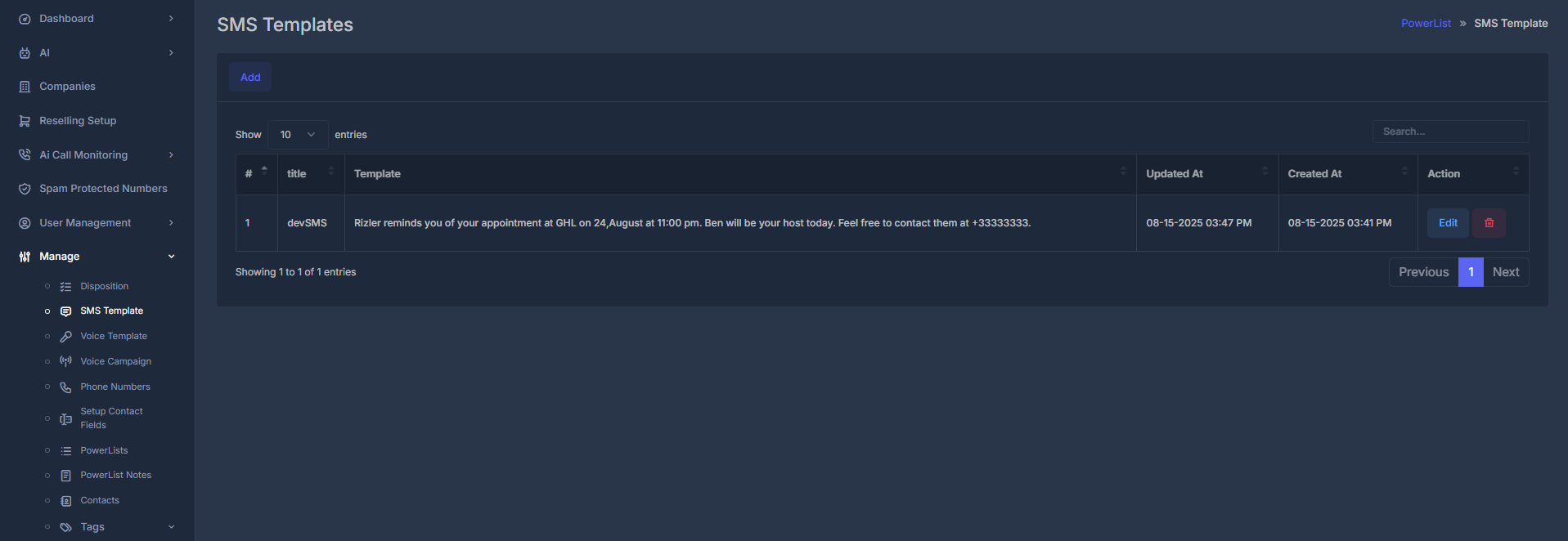
📄 The template list
The table shows one row per template.
At the top of the table:
- Search filters templates by title or message content.
- Results are shown in pages (commonly 10 per page).
- Use bottom paging controls to move through long lists.
➕ Add a new template
- Click Add.
- The list view hides and the form opens.
- Fill in Title and SMS Template.
- Click Submit.

- If required fields are empty, the form prompts you to complete them.
- While saving, a short “please wait” style message may appear.
- On success, you get confirmation and return to the list shortly after.
✏️ Edit a template
- In the list, click Edit on a row.
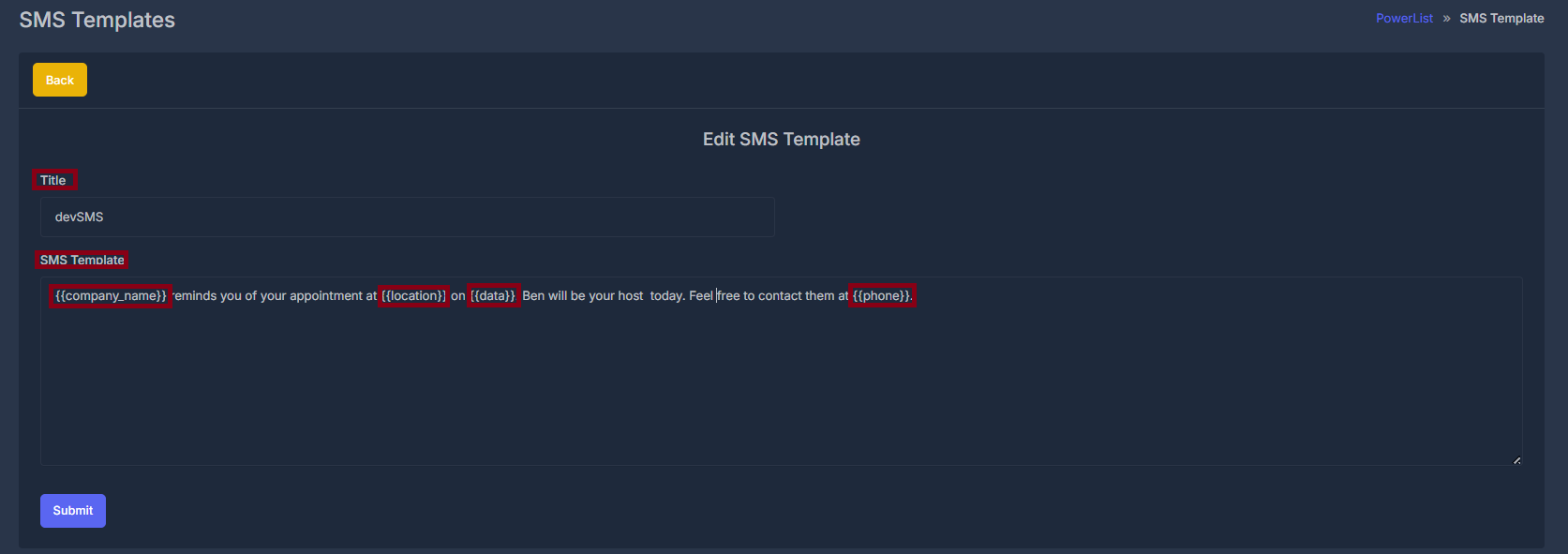
- The form opens with Edit SMS Template.
- Existing values load into Title and SMS Template.
- Make your changes and click Submit.
🗑️ Delete a template
Click the Delete or trash action on a row and confirm when asked.- If confirmed, the template is removed.
- You stay on the list and may see a success notice.
📝 Form fields (Add and Edit)
The same fields are used for both adding and editing.🏷️ Title
- Purpose: Clear label so users can find and pick the template quickly.
- What to enter: Short descriptive name (for example “Appointment Reminder” or “Welcome SMS”).
- Required: Yes.
- Uniqueness: You cannot save two templates with the exact same title in one workspace.
💬 SMS Template
- Purpose: The actual message text.
- What to enter: Message content, including placeholders when needed.
- Placeholder examples:
{name},{phone}(plus any others your setup supports).
- Short messages (around 160 characters) are usually one SMS part.
- Longer messages may split into multiple parts depending on carrier behavior.
- Keep wording clear and action-oriented.