

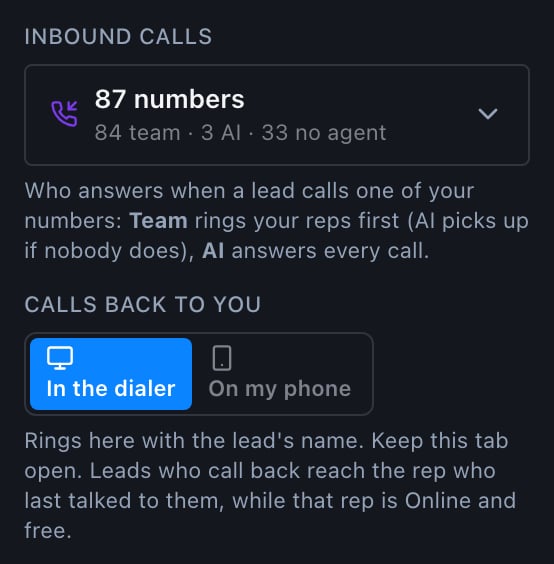
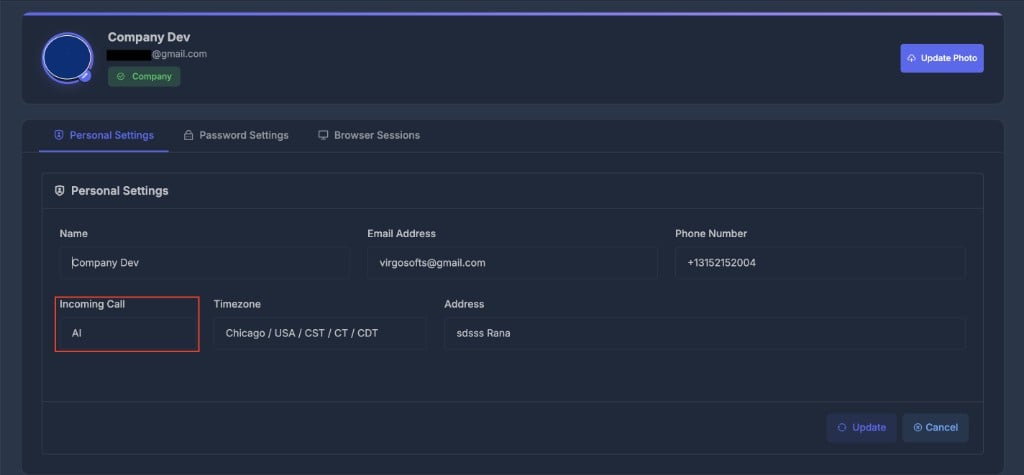
Who answers: Team or AI
Each of your numbers is set to Team or AI. Open Inbound calls in the dialer to see every number and change it.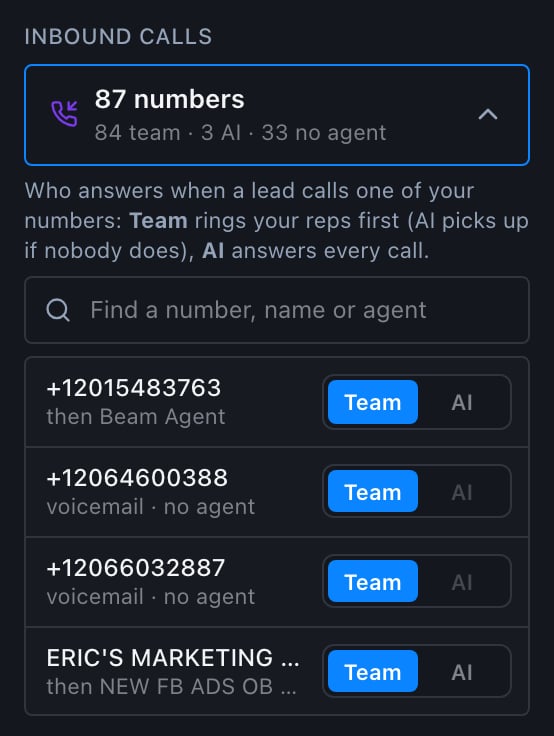
Team (recommended)
One rep rings first (see below). If they don’t pick up within 25 seconds, or no rep is free, the number’s AI agent answers. With no AI agent attached, the call goes to voicemail.
AI
The AI agent answers every call to this number. No rep rings.
A number can also be set to reps only (no AI backup), where an unanswered call goes to voicemail. The dialer shows it as Team with “Reps only, no AI fallback”.AI is greyed out on a number until an AI agent is attached to it. Attach one in the web app under AI → Numbers, then come back and choose AI or Team.
Send inbound calls to an AI agent
- In the web app, open AI → Numbers and attach your inbound AI agent to the number.
- In the dialer, open Inbound calls and find the number.
- Choose AI to have the agent answer every call, or Team to ring your reps first with the agent as the backup.
Which rep it rings
A lead who calls back rings one rep:- The rep who last had a real conversation with them: a call of 30 seconds or more, or one a person answered, in the last 7 days. A rep who dialed the lead and got no answer doesn’t take over the callback.
- If that rep isn’t free, the free rep who has waited longest among the reps on that number or the lead’s list.
- If none of them is free, the free rep who has waited longest on the rest of the team.
Direct lines: a number assigned to one rep as their own line rings only that rep. If they can’t answer, it goes to that number’s backup (voicemail, the AI agent, or the team), as set on the number.
What you’ll see when a lead calls
In the dialer, the call fills the screen and rings. If you talked to the lead recently, it says They called you back with their name. Otherwise it says Incoming Call with their number.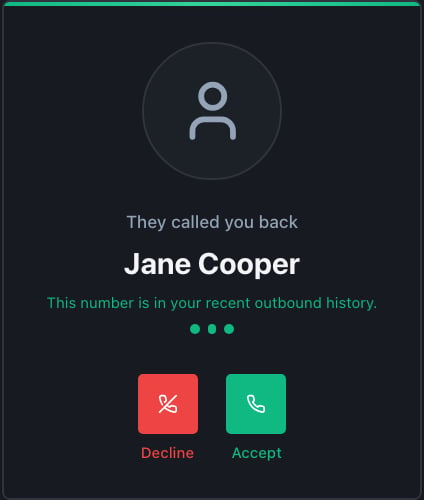
- Accept (green): you’re connected to the lead.
- Decline (red): the call goes to the number’s backup, the AI agent or voicemail. It doesn’t move on to another rep.
- Do nothing for 25 seconds: same as Decline.
Where it rings: in the dialer or on your phone
Each rep chooses under Calls back to you: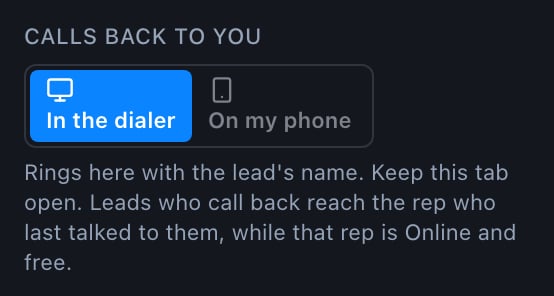
- In the dialer: the call pops up in the dialer with the lead’s name and They called you back. Keep the dialer open in one browser tab.
- On my phone: the call forwards to your cell. Enter your personal cell the first time you choose it. Your company’s own numbers can’t be used, because they would ring themselves. Your phone shows a caller ID, not the lead’s name, so check the dialer or the lead’s record to see who called.
Whether the AI agent answers is decided by the number (Team or AI), not by a rep’s own setting.
Quick answers
I'm dialing. Will a callback reach me?
I'm dialing. Will a callback reach me?
Only when you’re free: Online, not on a call, and inside your working hours. If you’re on a call, the lead rings the next free rep. If nobody is free, it goes to the number’s backup.
Can a callback go straight to my phone?
Can a callback go straight to my phone?
Yes. Choose On my phone under Calls back to you and enter your cell. Stay Online in the dialer, or the call won’t ring you.
Can the AI take every inbound call?
Can the AI take every inbound call?
Yes. Attach an AI agent to the number in AI → Numbers, then set the number to AI under Inbound calls.