

📱 Overview
Purchase Number is where you find an available phone number, choose one, and buy it so it can be used with your AI setup. After a successful purchase, you are taken back to My Numbers, where your numbers are listed.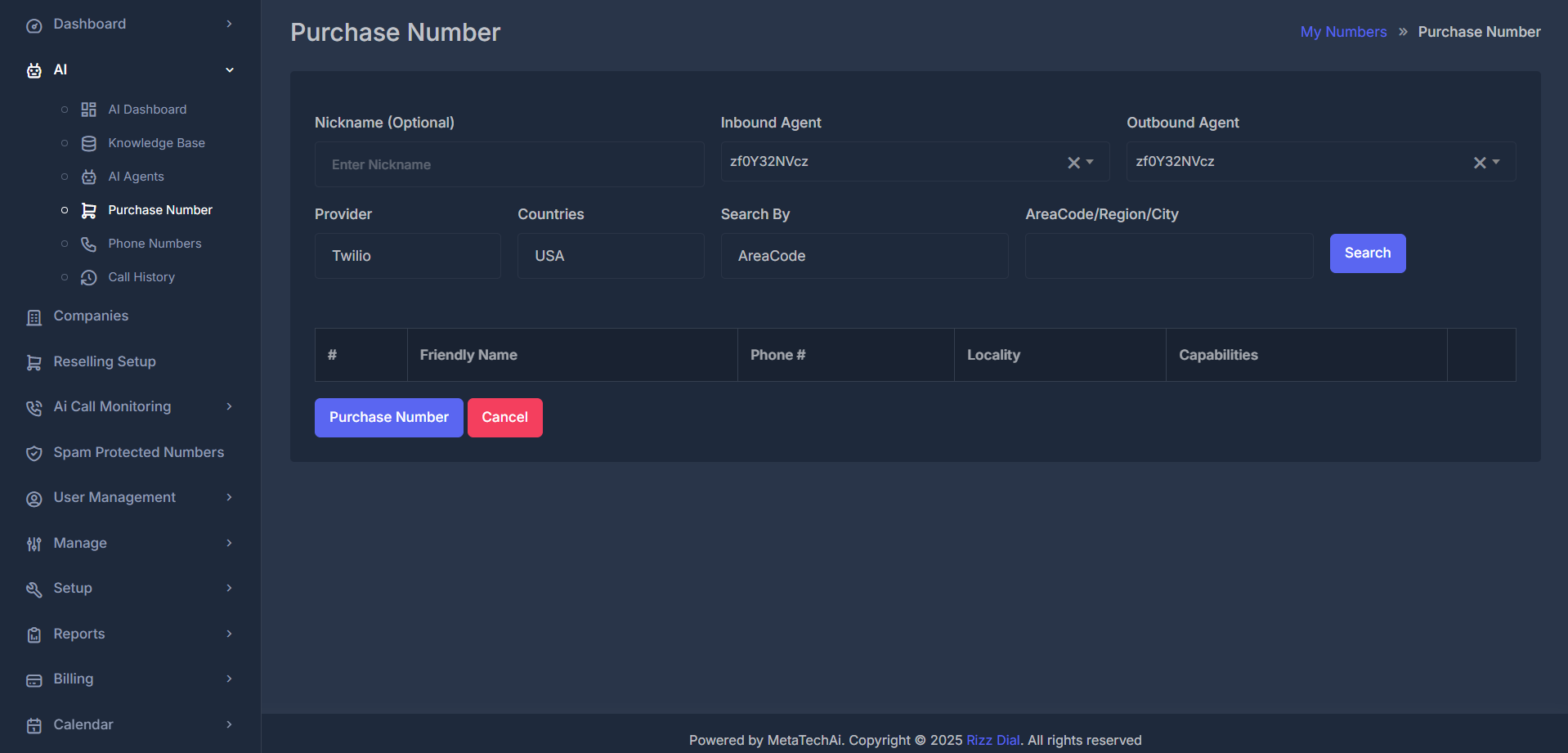
📝 Top Row: Main Settings
🏷️ Nickname (Required)- Give your new number a short, meaningful label (like a team, use case, or campaign name).
- Note: The field appears as “Optional,” but you must enter a nickname to complete a purchase. If left empty, the system will ask you to supply one before you can proceed.
- Select the AI agent that should handle incoming calls to this number.
- You can pick from any agent available in your organization. The selection box supports typing to search.
- Clearing your selection is available if your configuration allows it.
- Choose the AI agent to be associated with outgoing use from this number.
- Works just like the Inbound Agent field—same options and searchable list.
🔍 Search Row: Finding Available Numbers
This section lets you set filters to search for phone numbers before you purchase one. Use these controls, click Search, and then select from the list.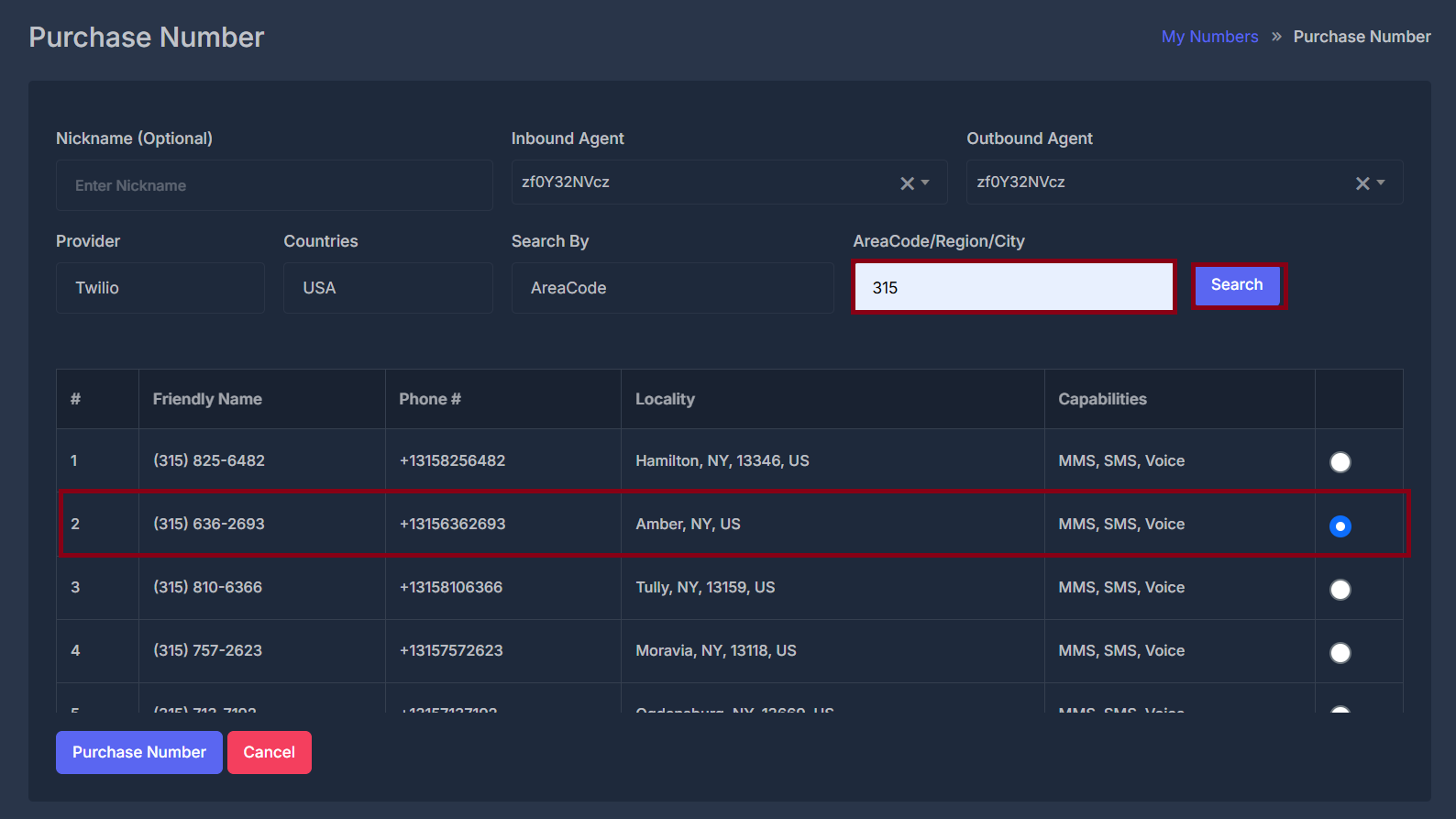
- Choose which phone service to use:
- Twilio
- AI Sync (your product’s branded provider)
- Restrict your search to either:
- USA
- Canada
- Decide how your search input should be interpreted:
- AreaCode (e.g. 415)
- Region
- City (name or label, as available)
- Enter the code, region, or city that matches what you wish to search for, based on your selection in “Search By.”
- This input, along with country and provider, determines what numbers are shown.
- You must enter something in the Search Value box for Search to work.
- If empty: You’ll see a prompt asking you to provide a value.
- If filled: You’ll see a loading message while numbers are fetched.
- On success: The results table will show available numbers.
- On failure: A message will explain the error (nothing found, setup issues, etc.).
📋 The results table
After a successful search, you see a table with a header row and a scrollable area (the list does not grow endlessly in view—it scrolls inside a fixed height). Columns:
Until you run Search, the table body stays empty.
🛒 Finishing the purchase
💳 Purchase Number (button) When you click Purchase Number, the system:- Reads your nickname, Inbound Agent, Outbound Agent, Provider, and the one number you selected in the table.
- If no number is selected, you see a message asking you to select a number.
- If a number is selected, a please wait style message appears while the system:
- Acquires the number through the provider you chose (Twilio or the AI sync path), and then
- Links that number to your nickname and agents in the way your product is designed (including voice routing setup behind the scenes).
- Takes you back to My Numbers without buying a number.
- No purchase happens when you use Cancel.