> ## Documentation Index
> Fetch the complete documentation index at: https://docs.aisync.link/llms.txt
> Use this file to discover all available pages before exploring further.
# Do Not Contact, STOP and START replies
> Stop calls, texts or email to one lead. What happens when a lead texts STOP or START, and how to text them again.
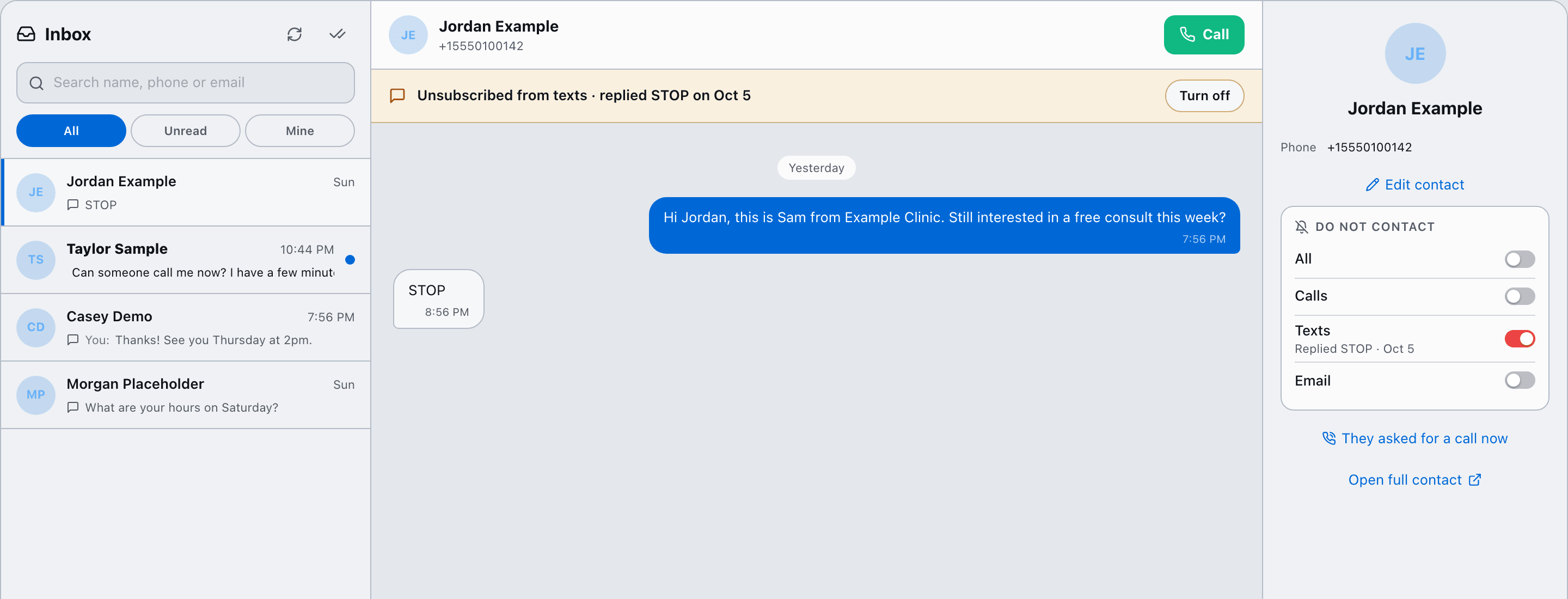
Every conversation has four **Do not contact** switches. Each one blocks a single way of reaching that lead, so you can stop texting someone without blocking calls.
| Switch | What it blocks |
| - | - |
| **All** | Calls, texts and email. While it's on, the other three show "Covered by All". |
| **Calls** | Dialer calls and AI agent calls |
| **Texts** | Texts from reps, automations and the AI text assistant |
| **Email** | Emails |
You'll find the switches in the **Inbox** side panel and on the dialer contact card. Reps, admins and owners can change them.
 ## When a lead texts STOP
1. Texts to that lead turn off automatically.
2. They get one confirmation that they've been unsubscribed.
3. Your AI text assistant doesn't reply.
4. The conversation shows a banner: **"Unsubscribed from texts · replied STOP on Oct 4"**, with a **Turn off** button.
Words that unsubscribe: STOP, STOPALL, UNSUBSCRIBE, CANCEL, END, QUIT.
## When a lead texts START
START, UNSTOP or YES turns texts back on, but only if the lead's own STOP turned them off. If someone on your team turned texts off by hand, a START reply doesn't undo it.
## Turning texts back on yourself
Click **Turn off** on the banner, or switch **Texts** off. You'll be asked to confirm:
> This person asked not to be texted. Texting them again is at your own risk. The carrier may still block texts until they reply START.
## When a lead texts STOP
1. Texts to that lead turn off automatically.
2. They get one confirmation that they've been unsubscribed.
3. Your AI text assistant doesn't reply.
4. The conversation shows a banner: **"Unsubscribed from texts · replied STOP on Oct 4"**, with a **Turn off** button.
Words that unsubscribe: STOP, STOPALL, UNSUBSCRIBE, CANCEL, END, QUIT.
## When a lead texts START
START, UNSTOP or YES turns texts back on, but only if the lead's own STOP turned them off. If someone on your team turned texts off by hand, a START reply doesn't undo it.
## Turning texts back on yourself
Click **Turn off** on the banner, or switch **Texts** off. You'll be asked to confirm:
> This person asked not to be texted. Texting them again is at your own risk. The carrier may still block texts until they reply START.
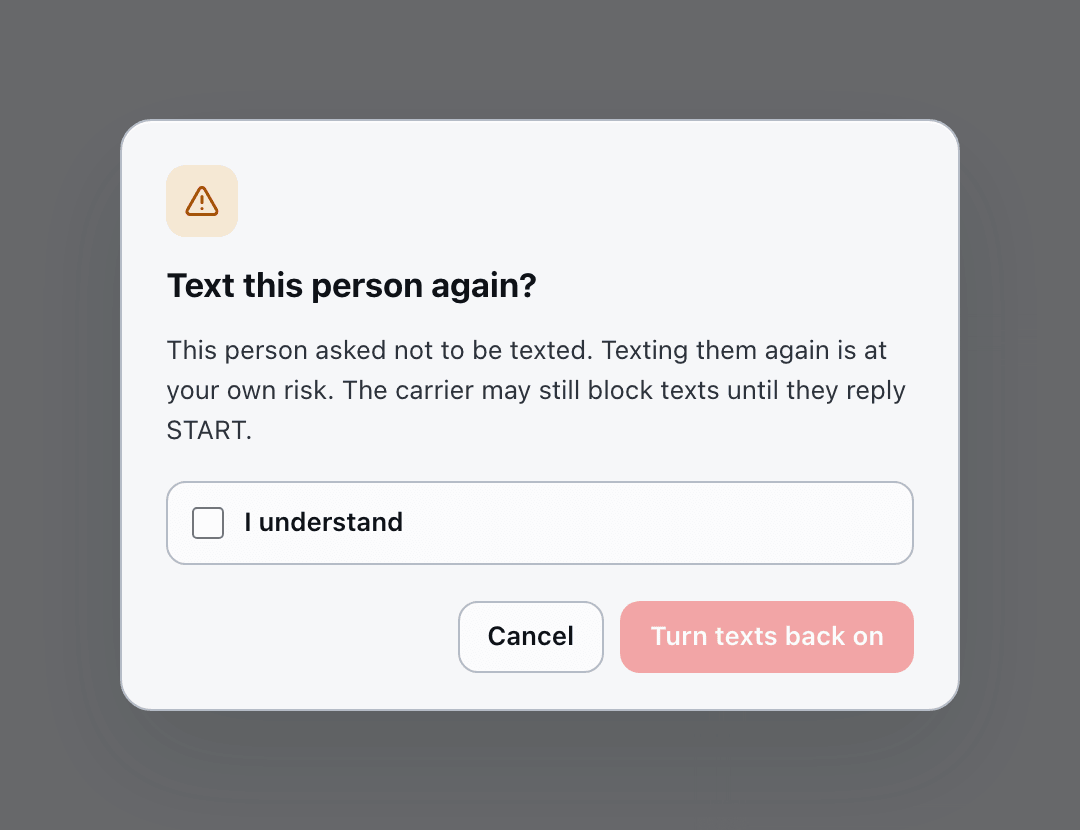 Tick **I understand** and confirm. AI Sync records who did it, when, and the exact warning they saw.
Carriers keep their own STOP list. Even after you turn texts back on, the carrier may block your texts until the lead replies START. Calls aren't affected.
## The DNC outcome
After a call, pick **DNC** under "How did it go?" and that lead won't be called again. If you don't see DNC, ask your admin to give your role the DNC outcome.
## Every change is logged
Each change records who made it, when, and the before and after, so you always have a record.
This documentation is built and hosted on [Mintlify](https://mintlify.com), a developer documentation platform.
Tick **I understand** and confirm. AI Sync records who did it, when, and the exact warning they saw.
Carriers keep their own STOP list. Even after you turn texts back on, the carrier may block your texts until the lead replies START. Calls aren't affected.
## The DNC outcome
After a call, pick **DNC** under "How did it go?" and that lead won't be called again. If you don't see DNC, ask your admin to give your role the DNC outcome.
## Every change is logged
Each change records who made it, when, and the before and after, so you always have a record.
This documentation is built and hosted on [Mintlify](https://mintlify.com), a developer documentation platform.